Overview
Docs is a Google Docs-style collaborative editor supporting rich text formatting, tables, images, task lists, live cursors, threaded comments with @mentions, organization workspaces, templates, and export.
The build splits responsibility across four services:
- TipTap handles the rich-text editor itself.
- Liveblocks manages live sync (document content, cursors, comments, notifications).
- Convex stores document metadata (title, owner, organization).
- Clerk manages identity and sessions.
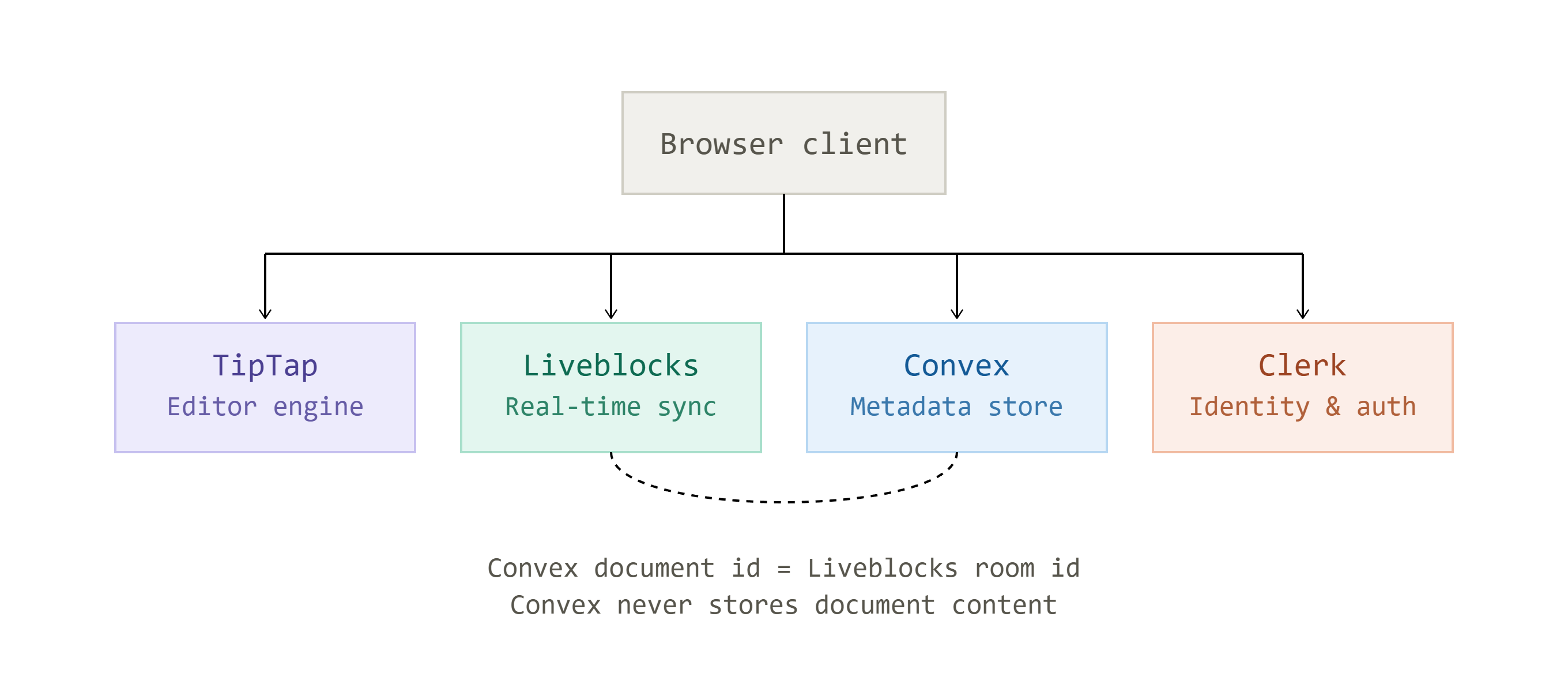
The connecting design choice is that the Convex document ID doubles as the Liveblocks room ID — Convex never stores document content, only the pointer to where it lives.
Editor
The editor is TipTap (a ProseMirror wrapper) configured with extensions for underline, text color, highlighting, alignment, task lists, tables, and resizable images.
Two settings matter:
history: false disables TipTap’s own undo stack so it doesn’t conflict with Liveblocks’ collaborative history, and immediatelyRender: false avoids a server/client hydration mismatch.
Font size and line height — missing from TipTap by default — were built as custom extensions:
font size as a mark (inline, like bold) and line height as a node attribute (block-level, applied via nodesBetween/setNodeMarkup).
A Zustand store shares the live editor instance across the toolbar and menu bar so formatting buttons stay in sync with the cursor.
Multiplayer
Multiplayer runs through Liveblocks rooms, with Yjs (a CRDT) handling conflict-free merges underneath — no custom merge logic was written.
Presence features include an avatar stack and cursor colors generated by hashing each user’s name into an HSL hue, so collaborators get consistent colors without a database column. A draggable margin ruler stores its state in Liveblocks Storage rather than local state, so dragging a margin updates the page for every viewer in the room.
Comments anchor to selected text, rendering as margin threads on desktop and floating popovers on mobile via a CSS breakpoint; @mentions query an organization’s members through Clerk, and an inbox notification system resolves room IDs back to document titles via Convex.
Security
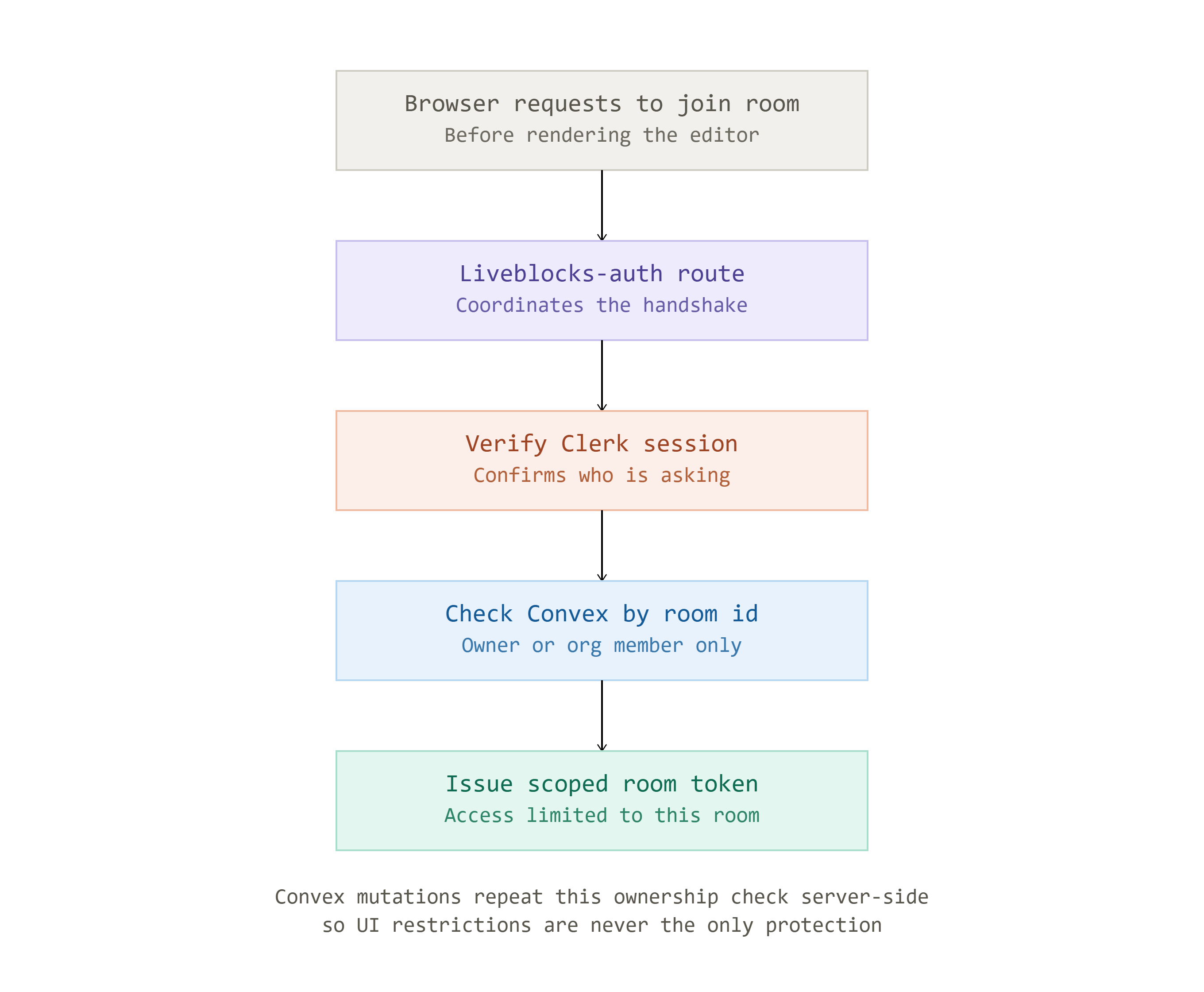
Security runs through a single auth handshake: before joining a room, the browser calls a Liveblocks-auth route that verifies the Clerk session, looks up the document in Convex by room ID, and checks that the user is either the owner or a member of the document’s organization before issuing a scoped, room-only Liveblocks token. The same ownership check is repeated server-side in Convex mutations, so client-side UI restrictions are never the only protection.
Data and polish
Convex’s schema is a single documents table with indexes for owner and organization plus a full-text search index on title; one query branches on search term and organization context to serve four list variants.
Pagination loads five documents at a time, search state lives in the URL, and title edits are debounced. Seven templates are stored as HTML strings loaded into a fresh document on creation. Export covers JSON, HTML, plain text, and PDF (via the browser’s print dialog, using print-specific CSS to hide the toolbar).
Known gaps
Uploaded images use temporary local blob URLs rather than persistent storage, and access control is currently binary (owner or organization member) with no granular sharing roles.