

Ecomm : E-commerce platform
This project is an e-commerce platform built using React and Material-UI for the frontend. The application includes core functionalities like product browsing, search and filtering, cart management, and user login and registration. With a focus on clean code, modularity, and user experience, this project is designed to be both scalable and adaptable.

Technologies :
React
Material UI
High-Level Design and Key Components
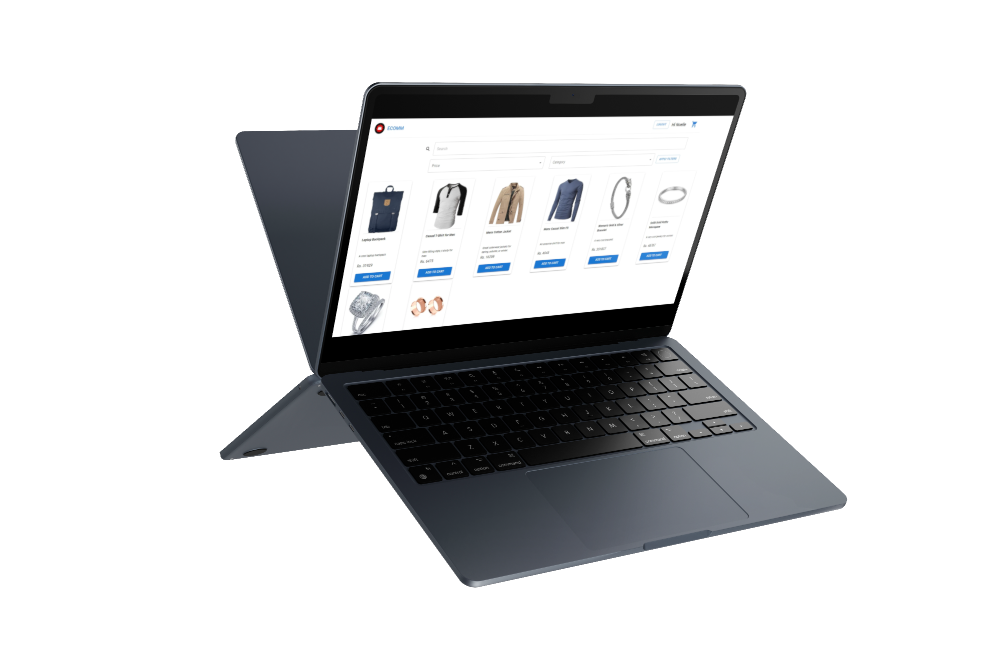
The application offers a seamless shopping experience with features like product browsing, allowing users to search and filter items by criteria such as price and category. Users can easily manage their cart, modify quantities, and proceed to checkout. It supports user authentication, enabling sign-in, registration, and persistent sessions across page reloads using the UserContext. The responsive design ensures an optimal experience across mobile, tablet, and desktop devices, while toast notifications provide interactive feedback for success or error messages via react-toastify.
Coding Choices & Decisions
- Component-based Structure: Each major feature of the application is split into its own component, such as ProductCard, CartProductCard, and QuantityMeter. This modular approach allows for better reusability, easier testing, and more maintainable code.
- Material-UI for Styling: Material-UI components (like Grid2, Box, Typography, etc.) are used extensively to ensure a responsive and visually appealing design. These components come with built-in accessibility features and are highly customizable to meet the application’s needs.
- React Context API for State Management: The UserContext is implemented to store and manage the user’s authentication state across the application. The useUser custom hook provides access to the context and allows components to update user data, like login status and cart contents.
- Formik and Yup for Form Management: The login and registration forms use Formik for state management and Yup for schema-based validation. This setup reduces boilerplate code, handles form validation efficiently, and provides a clean, user-friendly experience with real-time error feedback.
- Dynamic Routing with React Router: React Router (BrowserRouter, Routes, and Route) is used to handle routing between pages. Redirects and catch-all routes ensure that users are correctly routed to pages such as login, register, dashboard, and the error page if an invalid URL is entered.
- Toast Notifications with react-toastify: react-toastify is used to display non-intrusive notifications for actions such as login success, registration failure, or cart updates.
Component Breakdown
App Component
The root component that sets up routing, context providers, and global notifications.
Key Features:
- Routing: Manages the main routes (/login, /register, /dashboard, /cart) and redirects the root path (/) to the login page temporarily.
- User Context: Wraps the app with UserProvider to provide user authentication state across the app.
- Notifications: Displays toast notifications for user interactions.
Dashboard Page
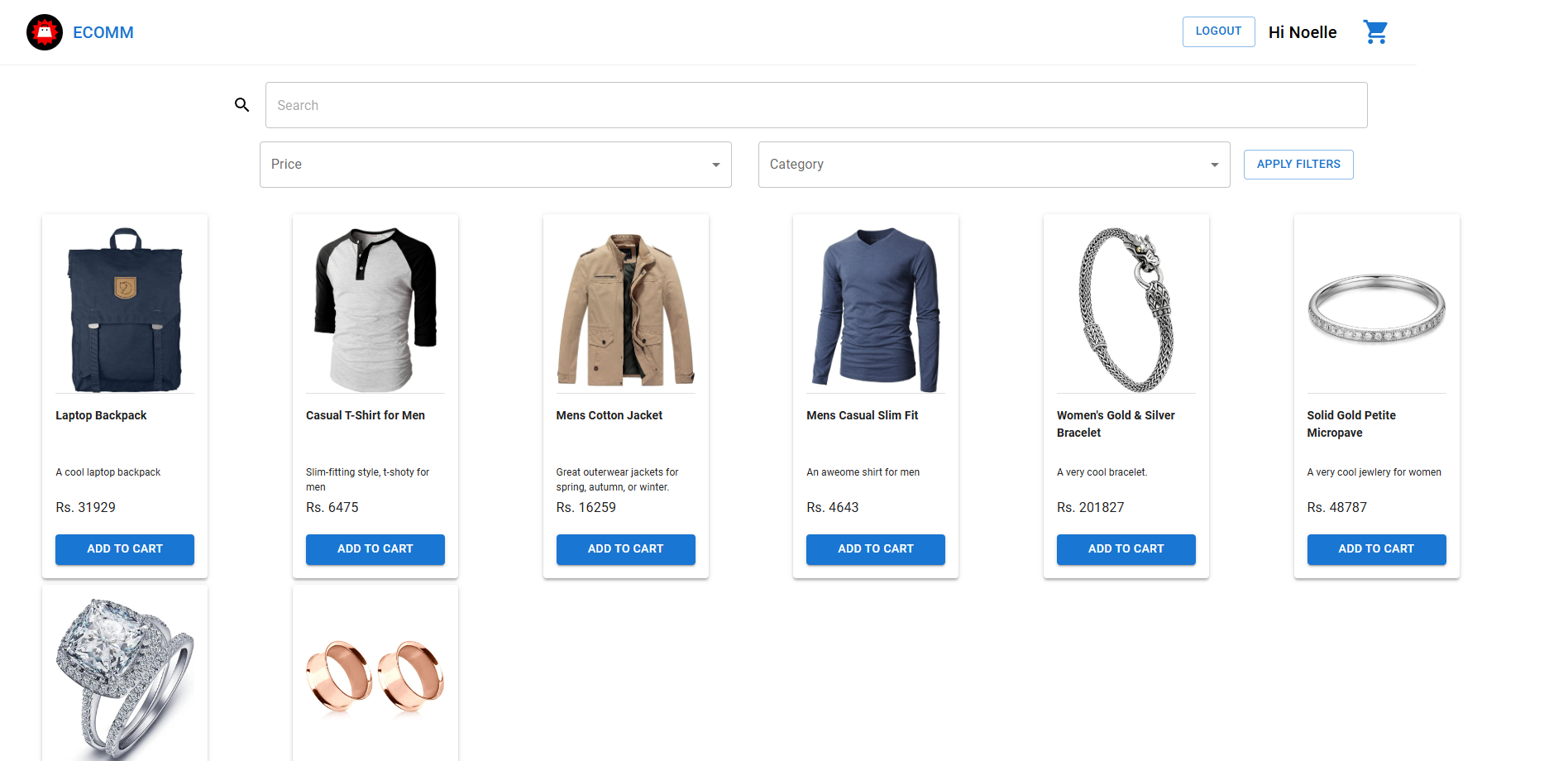
Displays a list of products and allows users to search, filter, and view product details.
Key Features:
- Search: Allows users to search products by title. temporarily.
- Filter: Filters products by price range and category.
- Product Cards: Each product is displayed in a ProductCard component.
Cart Page
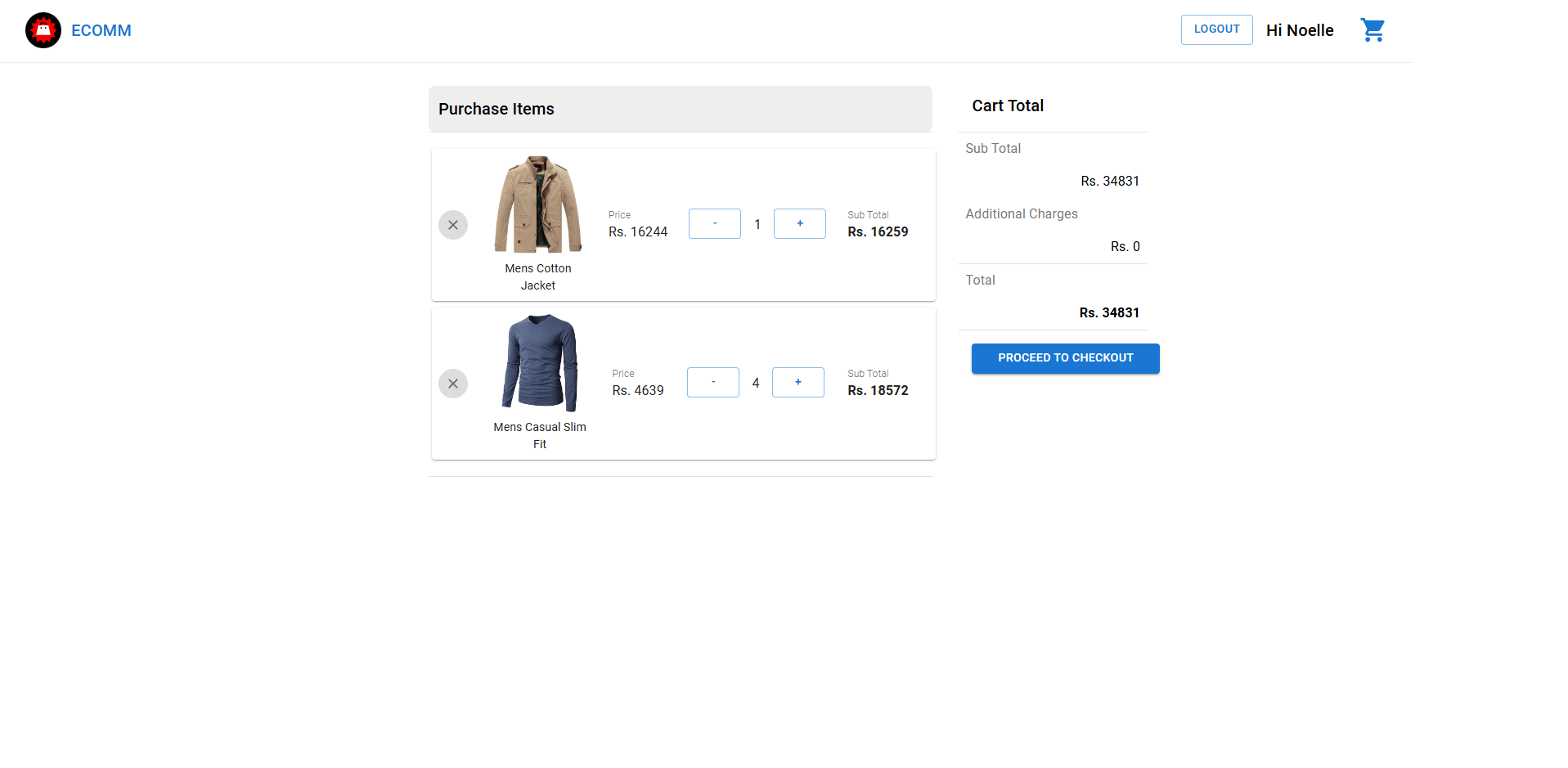
Shows the user's shopping cart, including the items they’ve added, their prices, and the total cost.
Key Features:
- CartProductCard: Displays each item in the cart, including its price and quantity.
- Total Calculation: Dynamically calculates and displays the total price, including any additional charges.
- Navigation: Provides an option to proceed to checkout.
Login Component
Handles user login, validating credentials and managing session state.
Key Features:
- Form Validation: Ensures valid email format and secure password handling with Formik and Yup.
- Authentication: Checks if the user exists and their credentials are correct.
- Navigation: On successful login, redirects the user to the dashboard.
Register Component
Allows new users to create an account.
Key Features:
- Form Validation: Ensures required fields and password security.
- Duplicate Checking: Prevents duplicate email registration by checking against existing users.
- Navigation: After successful registration, redirects the user to the dashboard.
Cart-Product-Card Component
Displays individual products in the cart, allowing users to update quantities or remove items.
Key Features:
- Quantity Control: Integrated with the QuantityMeter component to adjust product quantity.
- Remove Product: A button to remove the product from the cart.
Product-Card Component
Displays product details such as the title, description, and price, and includes an option to add the product to the cart.
Key Features:
- Add to Cart: A button that allows users to add the product to their cart.
- Quantity Adjustment: After adding to the cart, users can modify the product quantity.
Quantity-Meter Component
Allows users to adjust the quantity of a product in the cart.
Key Features:
- Increment/Decrement: Buttons to increase or decrease the product quantity.
- State Management: Updates the cart context whenever the quantity changes.
Top-Bar Component
A navigation bar that provides key navigation features like going to the dashboard, viewing the cart, and logging out.
Key Features:
- Dynamic Display: Shows the user’s first name if logged in.
- Cart Icon: Displays a shopping cart icon for quick access to the cart.
User Context
The UserContext manages user authentication and persists user data (such as cart contents and login status) across page reloads using localStorage.
Key Features:
- Persistence: Saves user data to localStorage to ensure that the user’s session persists even after a page reload.
- State Management: Centralizes the management of user data and authentication state in one place, making it easily accessible and updateable across the app.
Assests :
Potential Improvements :
- Session Management Implement session expiration mechanisms for security.
- Loading States Show loading indicators or spinners during logout or data-fetching processes to improve user experience.
- Cart Item Count Display the number of items in the cart next to the cart icon for quick user reference.
© 2025 Thamini Perera. All rights reserved.